
One of the ultimate tests for any modern ERP framework is speed: how fast can a developer move from a blank canvas to a functioning, domain-specific application? More importantly, in the age of generative AI and "vibe-coding," how smoothly can an automated coding assistant navigate the framework alongside a human pilot?
Recently, Wojciech—a community developer and active Hubleto webinar participant—put the Hubleto ERP dev-main codebase and managed Dev Hosting environment to the test. His goal was clear: stand up a bespoke, domain-specific vertical CRM for an aesthetic clinic in a single development session, using an AI coding assistant to handle the implementation heavy lifting.
The experiment yielded a fully functional application plugged into the native Hubleto Ecosystem, alongside invaluable, unfiltered feedback on what makes Hubleto incredibly powerful—and where we need to smooth out the edges for the next generation of AI-assisted developers.
🚀 The Mission: The Aesthetic Clinic App
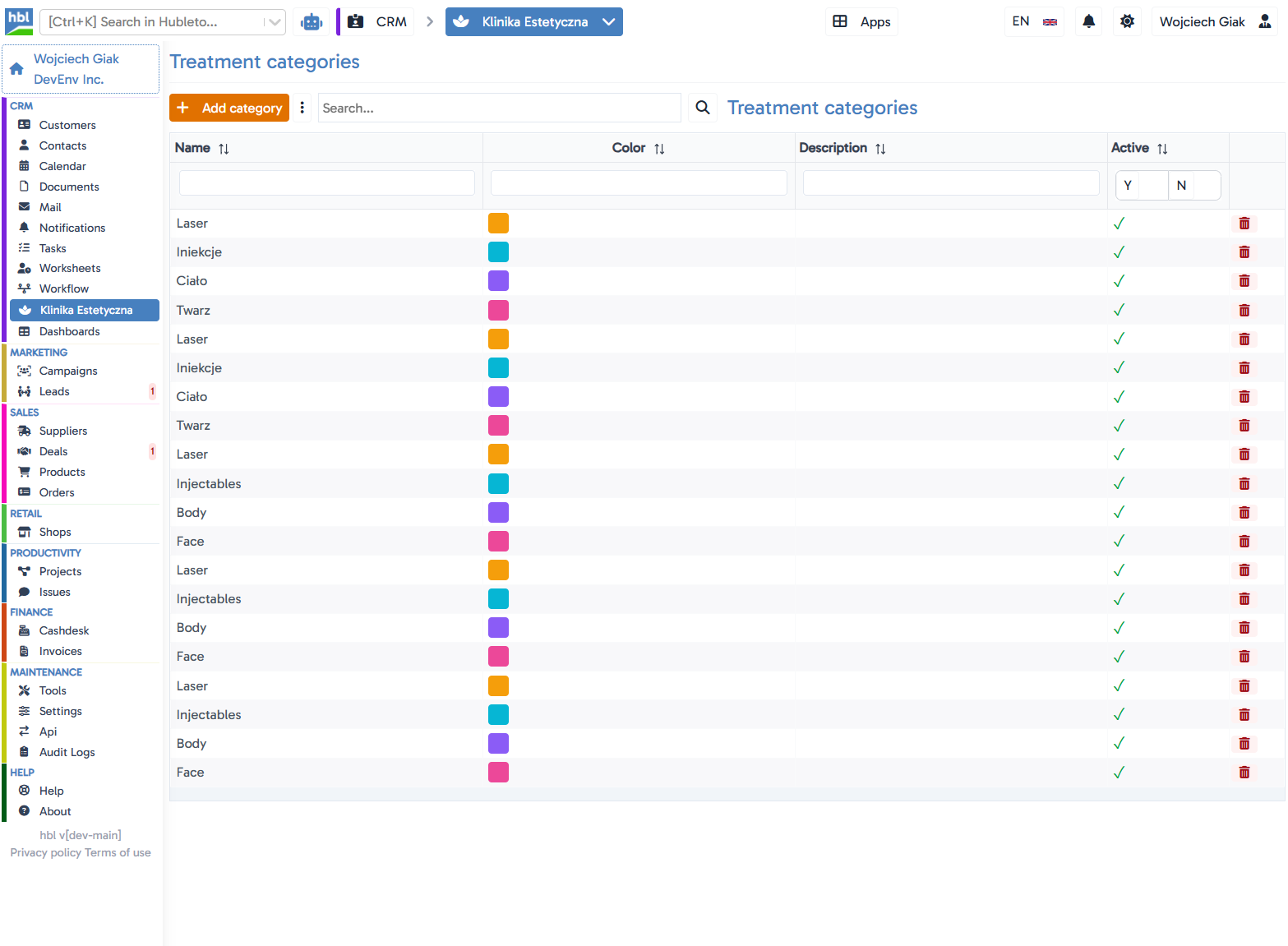
In a single session, Wojciech built a custom module (Hubleto\\App\\Custom\\AestheticClinic) featuring 6 interconnected domain models: Patients, Treatment Categories, Treatments, Practitioners, Rooms, and Appointments.
The application successfully deployed to our Dev Hosting environment. All CRUD records were fully interactive, appointments seamlessly integrated into Hubleto's native Calendar app, and the sidebar entry automatically populated the system interface.

(source: www.pixabay.com, www.freepik.com, Google Gemini)
What Worked Beautifully: Framework Superpowers
The core building blocks of Hubleto proved highly effective for rapid prototyping and low-code assembly. Wojciech highlighted several key architecture choices that significantly accelerated development:
- The Model Description API: Declaring columns and table structures using
describeColumnsanddescribeTableis both expressive and highly readable. The fluent setters make writing model schema logic inherently pleasant. - The Generic React Table: By using the generic
<hblreact-table string:model="...">component, the entire CRUD table and corresponding interactive forms were rendered dynamically directly from the back-end model descriptions. This required zero front-end compilation—a true superpower for constrained or rapid environments. - The Extendible Pattern: Hooking custom logic into existing community modules proved remarkably clean. Wojciech easily extended the main navigation via
AppMenuand injected a new "Treatment" variant directly into the coreProductTypesapp. - Configuration-Driven Custom Columns: The
customColumnsconfiguration design allows developers to inject brand-new data fields directly into community models without dangerous code hard-forking.
*"The core model is genuinely strong for this... The reuse of community apps let us assemble a working, industry-specific CRM fast. The friction was almost never the framework itself..."* — Wojciech
The AI Friction Point: The Cost of Out-of-Sync Docs
While the framework's underlying code performed flawlessly, the development session highlighted a critical reality of modern, AI-driven workflows: AI coding assistants are only as good as the documentation they read. When documentation lags behind the codebase or relies on placeholder stubs, an AI assistant will confidently generate code that looks plausible but fails immediately in production.
Wojciech ran into several friction points where the developer guides and CLI stubs diverged from the actual implementations inside our core community apps:
| Topic | What the Documentation States | What the Shipped Code Actually Uses |
|---|---|---|
| App Installation | installTables() |
installApp(int $round) |
| App Namespace | \\HubletoApp\\Custom\\MyFirstApp |
Hubleto\\App\\Custom\\... |
| Model Base Class | \\Hubleto\\Framework\\Model |
\\Hubleto\\Erp\\Model (Required for core defaults) |
| Migration Files | {Model}\_{YYYYMMDD}\_{Version}.php |
{Model}\_{NNNN}.php |
| Custom Columns | Full path: \\ADIOS\\Core\\Db\\Column\\Varchar::class |
Short name format: 'class' => 'Varchar' |
Additionally, subtle architectural realities cost development cycles to uncover. For example, building the sidebar navigation requires utilizing the Extendibles/AppMenu.php collection pattern rather than interacting directly with the Desktop\\AppMenuManager::addItem() method, which targets a distinct menu layer entirely.
Dev Hosting and Polish: The Final Mile
Hubleto’s managed Dev Hosting proved to be an exceptional environment for spinning up a live, zero-config functional demo. However, as the project pivoted towards deep customization and localized branding, the team ran into a few platform limits:
- Asset Compilation: Since front-end assets are served from a shared, read-only release pipeline, pushing custom React micro-frontends (like a bespoke
Loader.tsx) requires local environments. - Localization and Overrides: Translation layers (
lang/files) currently target the base core directory. For developers attempting to rebrand core nouns (e.g., turning "Customers" into "Patients"), the managed hosting's read-only nature forces these changes to remain local for now.
Our Action Plan for an AI-First Developer Experience
Wojciech’s case study is exactly why we build in the open. His insights give us a precise blueprint to make Hubleto the most AI-friendly, vibe-coding-ready ERP engine on the market. A massive thank you to Wojciech for spending a session pushing Hubleto to its absolute limits and sharing such coherent and practical feedback. This the essence of open-source teamwork.
(source: www.pixabay.com, www.freepik.com, Google Gemini)