
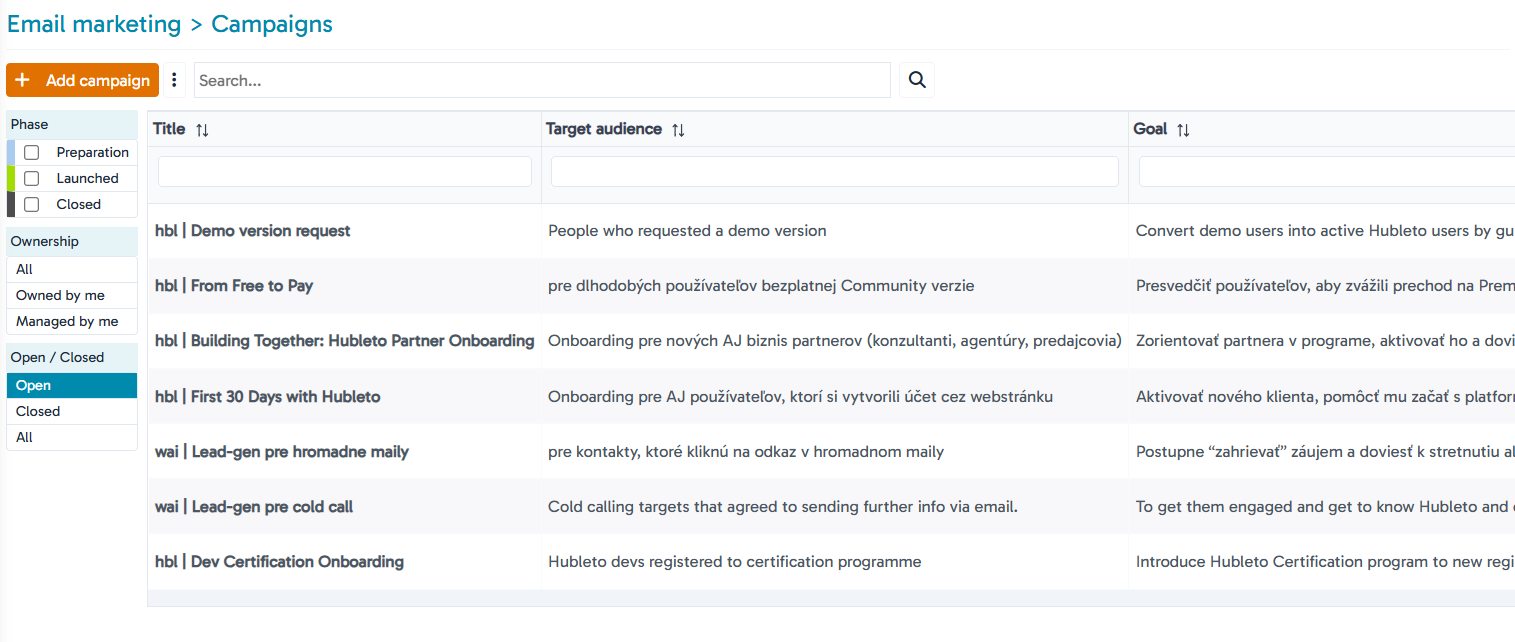
Campaigns - an automated email sequence that follows up for you.
Schedule a series of emails to go out on exact days after a contact joins the campaign, track who opened and clicked, and let the app handle sending - no repeated manual sends.
The situation you deal with every day
Follow-up emails a new client's onboarding, or cold calls usually get sent manually, one by one, and it's easy to forget the third or fourth email in the sequence. Hubleto Campaigns schedule the whole sequence in advance - the app sends each email on exactly the right day to every contact enrolled in the campaign.
Key features
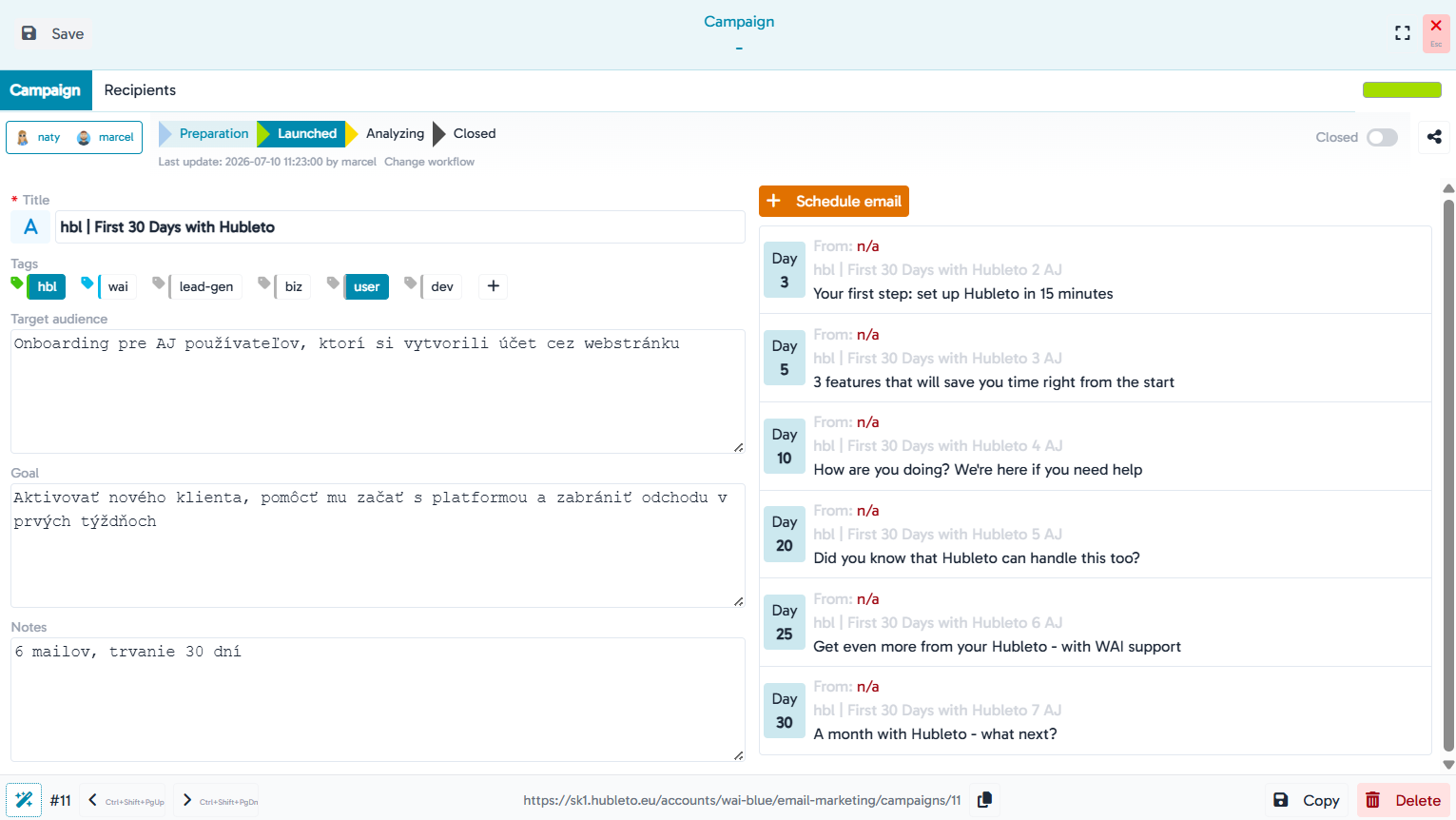
Day-based email sequencing
schedule emails for Day 0, Day 3, Day 6, and beyond; the app sends each one automatically on that exact day after a contact joins the campaign.
Its own campaign workflow
Preparation → Launched → Analyzing → Closed, with a history of the last change and who made it.
Personalized emails
every email has its own subject, body, and sender account, with personalization variables available per recipient.
Open and click tracking
the app records which recipients opened and clicked an email, so you can measure how well a campaign performs.
Target audience and goal per campaign
the app keeps a clear record of who a campaign is for and what it's meant to achieve.
Ownership, management, and tags
the same approach as across the rest of Hubleto, plus a custom tagging system for organizing campaigns (e.g. by product or audience).
Safe bulk sending
the app only sends to recipients who haven't received the email yet, and automatically skips unsubscribed or invalid addresses, so there's no risk of duplicate or failed sends.
Test email before launch
with a preview of exactly how the email will look in the recipient's inbox.
Recipients from Contacts or bulk import
add recipients directly from your Contacts database, or bulk-import a list of email addresses.
Hubleto vs. the competition
Most CRMs treat email marketing as a one-off blast. Hubleto builds on a full day-based email sequence with its own workflow, click tracking, and protection against duplicate outreach - functionality that elsewhere requires paying for a separate marketing automation tool.
Who is it suitable for?
Companies that need to automate onboarding, demo follow-ups, or any series of emails tied to exactly when a contact joined the campaign.