
Worksheets - every worked hour tied to its task, project, and customer.
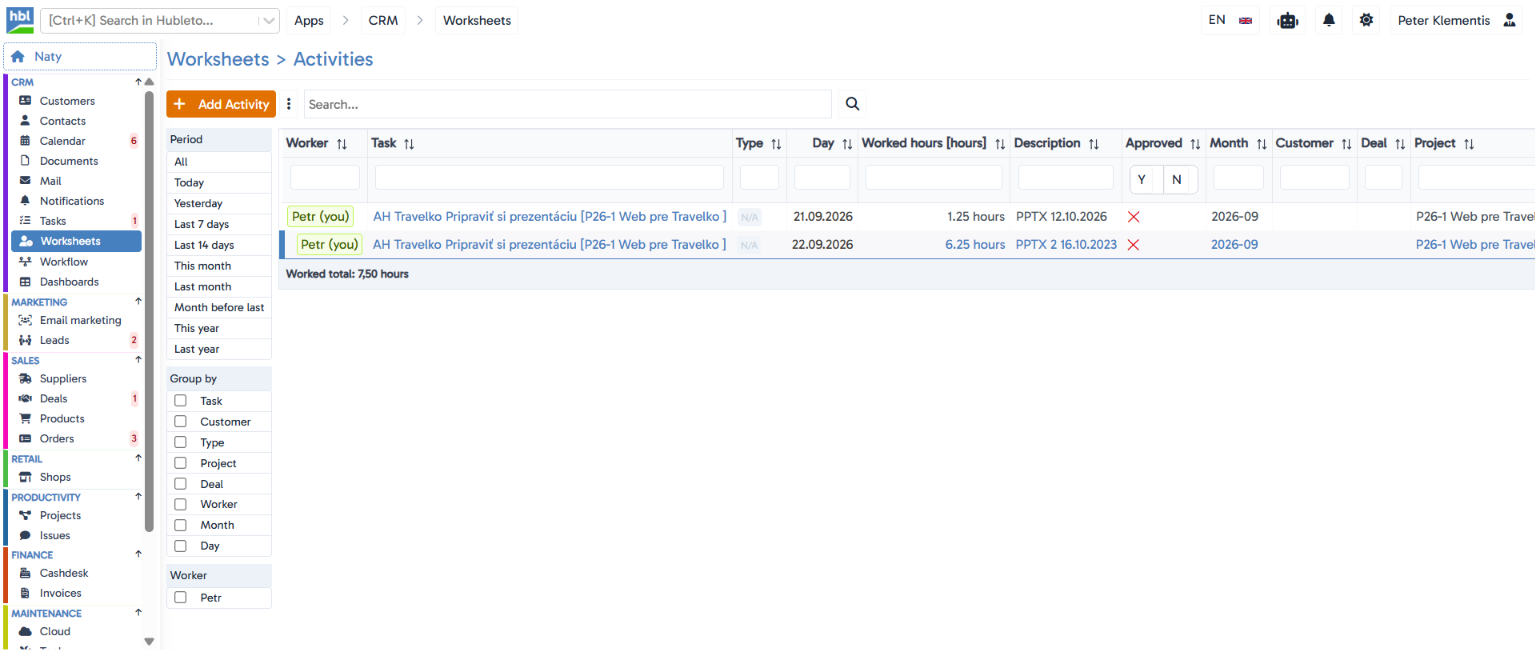
Log time directly against a specific task, mark it as chargeable, and the app totals your hours exactly according to whatever you're filtering.
The situation you deal with every day
Worked time is usually tracked in a separate tool with no link to which project or customer the hours belong to, so everything has to be manually matched up at billing time. Hubleto Worksheets tie every entry directly to a specific task, which already sits within a project and customer, so it's always clear where the time belongs.
Key features
Entries tied directly to a task
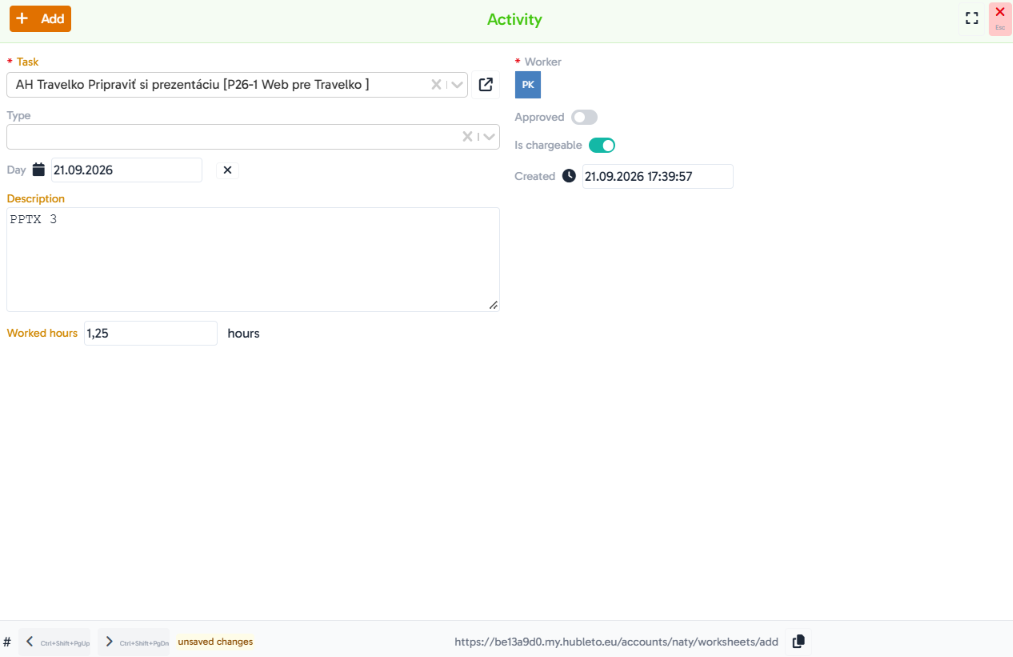
a worksheet entry is created against an existing task (e.g. "Prepare presentation" within a specific project), so hours are automatically linked to the project, customer, and deal the task belongs to.
Chargeable hours flag
an "Is chargeable" toggle separates time meant to be billed to the client from internal or non-billable time.
Approval workflow
an "Approved" toggle lets a manager confirm logged hours before they're processed further.
Activity type
categorize work with a custom activity type for a clearer picture of what time was actually spent on.
Rich period filtering
Today, Yesterday, Last 7/14 days, This/last/month before last, This/last year.
Group by multiple criteria at once
by Task, Customer, Type, Project, Deal, Worker, Month, or Day.
Filter by individual worker
quickly see one team member's logged hours.
Live total of worked hours
"Worked total" recalculates exactly to match your current filter.
Hubleto vs. the competition
Most standalone time-tracking tools don't know which customer or deal the logged time belongs to until data is manually matched at billing time. Hubleto ties an entry directly to a task that's already part of a project and customer, so that link exists from the very first entry.
Who is it suitable for?
Agencies, software companies, and service providers who bill by worked time and need visibility into how many hours the team spent, and on what.