
Contacts - Every person, every role, every way to reach them
Full addressbook built on top of your Customers database. Every person is linked to their company, tagged by role, and flagged as primary or billing contact.

The situation you deal with every day
As customer lists grow, teams lose track of who's the actual decision maker at a company, who should receive invoices, and how to reach someone beyond a single phone number. Contacts solves this by linking every person to their company, letting you store multiple phone numbers and emails per person, and tagging each contact by their real business role.
Key features
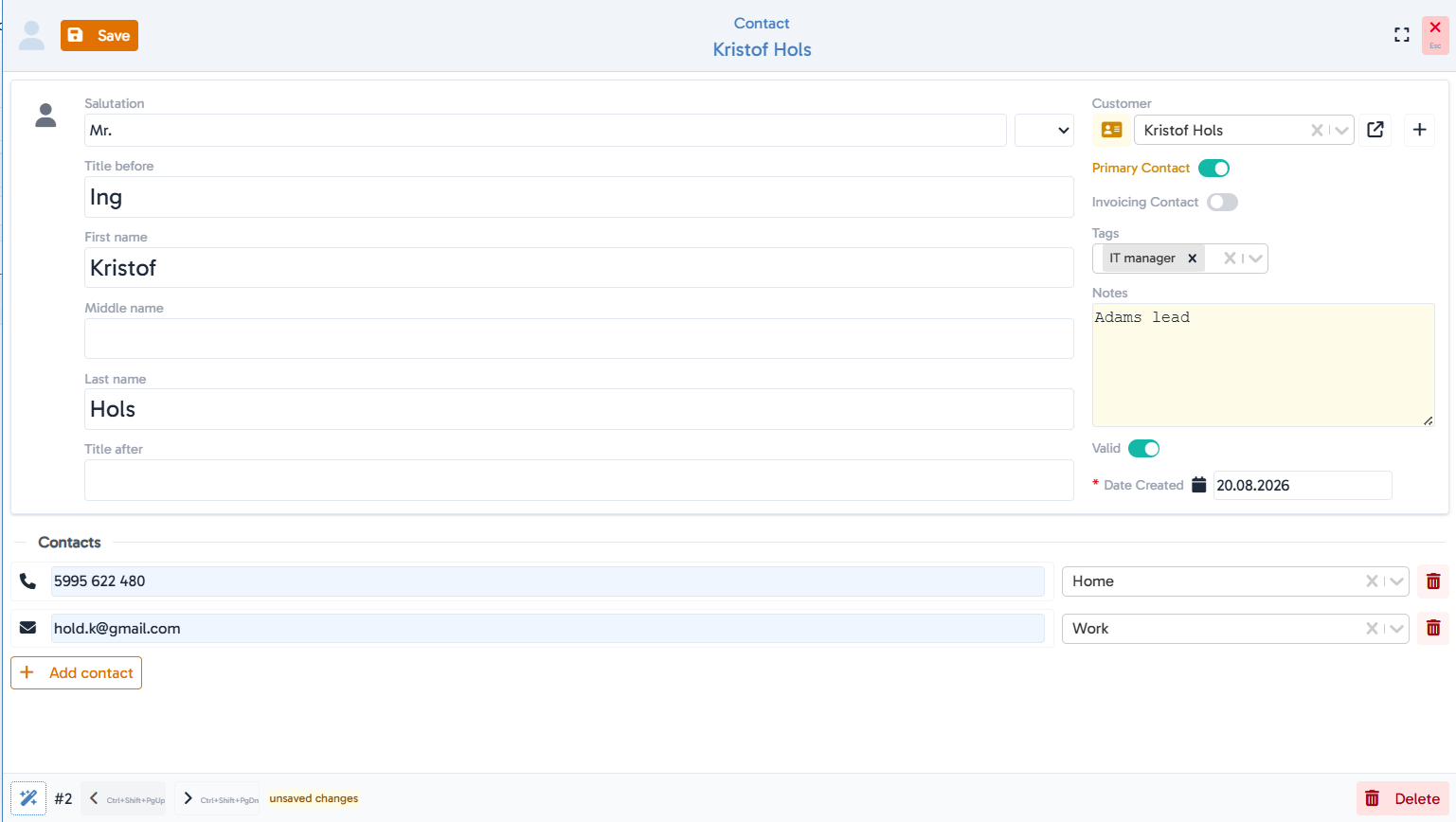
Linked to Customers
every contact belongs to a company record, with an inline "+" to create a new customer without leaving the contact form.
Multiple phone numbers & emails per person
add as many contact channels as needed (e.g. work, mobile), each labeled for clarity.
Primary & billing contact flags
mark who's the main point of contact and who should receive invoices, separately per customer.
Role-based tags
classify contacts by function (CEO, IT Manager, Decision Maker, Sales, Support, Online Marketing Manager, and more), so you can instantly filter for every decision maker across your customer base.
Full name formatting
title before/after, first, middle, and last name, plus a salutation field, ready for formal correspondence.
Active/valid status
deactivate outdated contacts without losing history.
Fast filtering & search
sortable columns and instant search across name, company, phone, and email.
Hubleto vs. the competition
Most CRMs give you a flat contact list. Hubleto separates the company (Customers) from the person (Contacts) and layers role-based tagging on top - so a sales rep can instantly answer "who's the decision maker here?" or "who do we invoice?" without digging through notes.
Who is it suitable for?
Sales and account teams managing multiple stakeholders per client, and anyone who needs to know exactly who to contact for what.