
Dashboards - A personal overview built for you, not a one-size-fits-all report.
Create as many dashboards as you need, each with its own color and URL, and set one as default so it's the first thing you see after logging in.
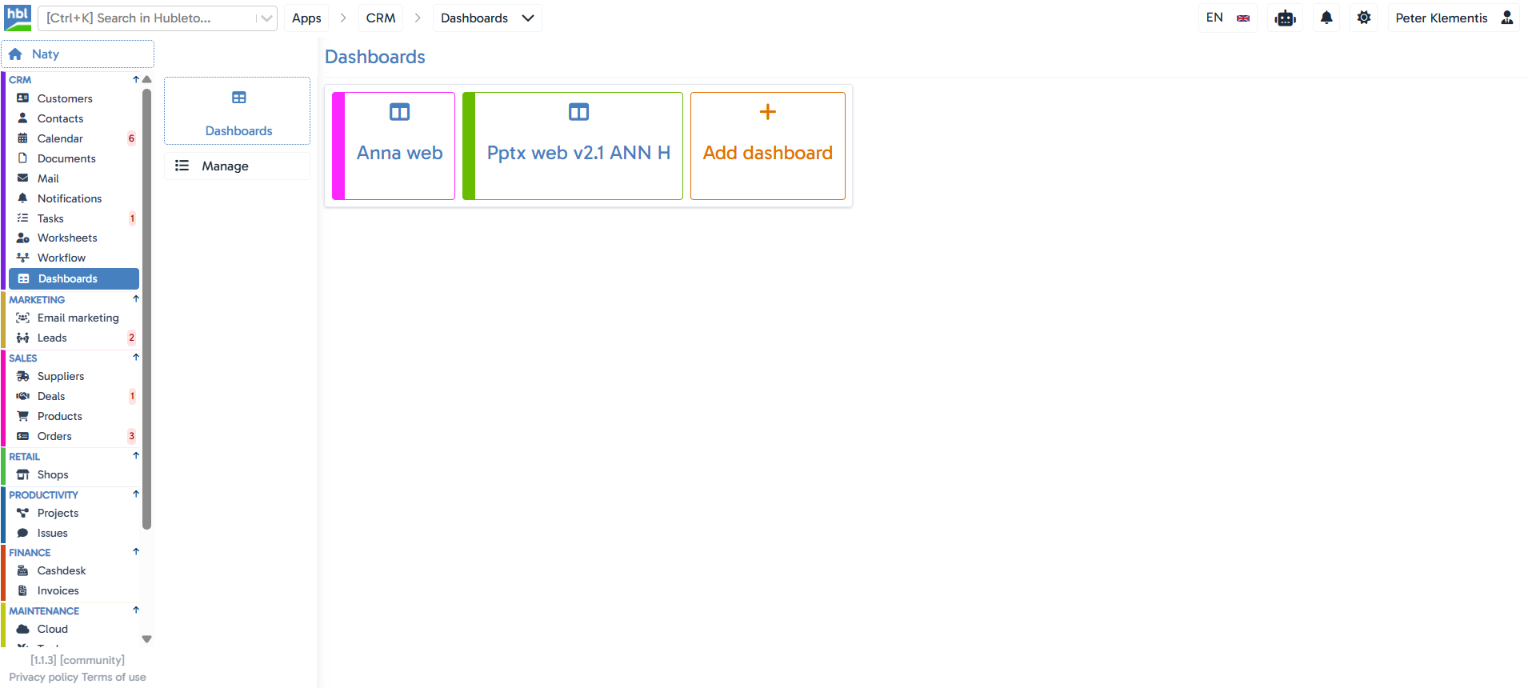
The situation you deal with every day
Different people across a company need to see different numbers - a salesperson wants a deal overview, a project manager wants team workload - yet most systems only offer one universal report for everyone. Hubleto Dashboards let you build your own, color-coded overview tailored to your role, and set which one shows up first after login.
Key features
Unlimited personal dashboards
every user can create as many dashboards as they need, each shown as its own tile in the overview.
A custom color per dashboard
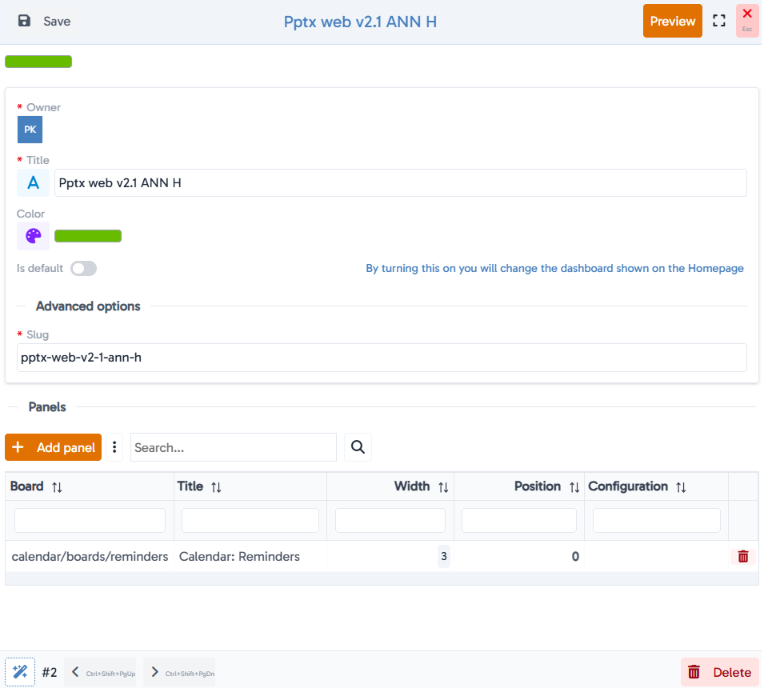
pick a color from a palette or an exact HEX/RGB code, for quick visual orientation across multiple dashboards.
Default dashboard
an "Is default" toggle determines which dashboard shows on the homepage right after login.
A custom URL (slug)
every dashboard gets its own readable address, so it can be shared directly by link.
Panels built to fit
once a dashboard is created, the app prompts you to add the panels it's made of.
Ownership overview
the list shows who owns which dashboard, so it's clear who built which overview.
Hubleto vs. the competition
Most CRMs offer one fixed dashboard or only limited customization. Hubleto lets every user build their own color-coded dashboards with their own URL, tailored exactly to what they need to track in their work.
Who is it suitable for?
Companies where different roles (sales, project management, leadership) need to track different numbers, and want those views kept separate and clearly color-coded.