
Workflow - A visual overview of stages across multiple apps in one place.
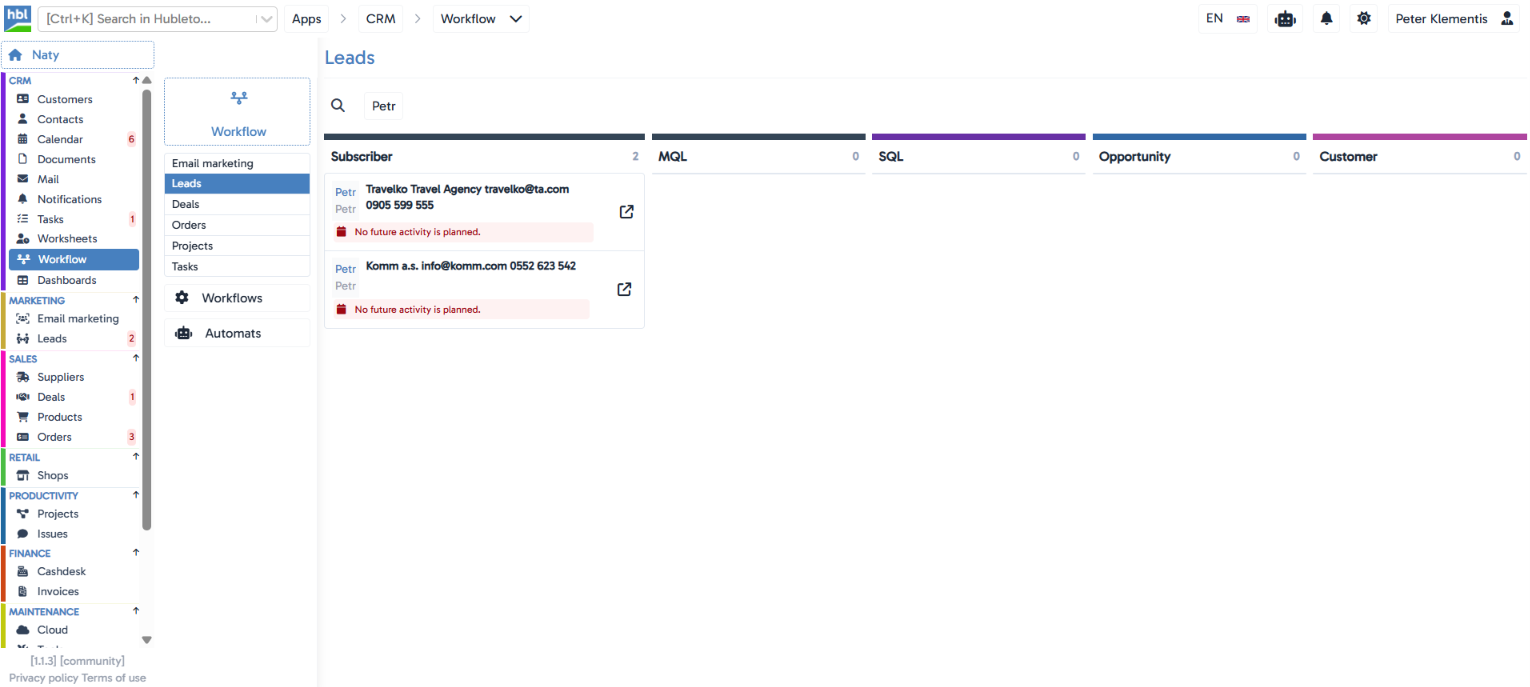
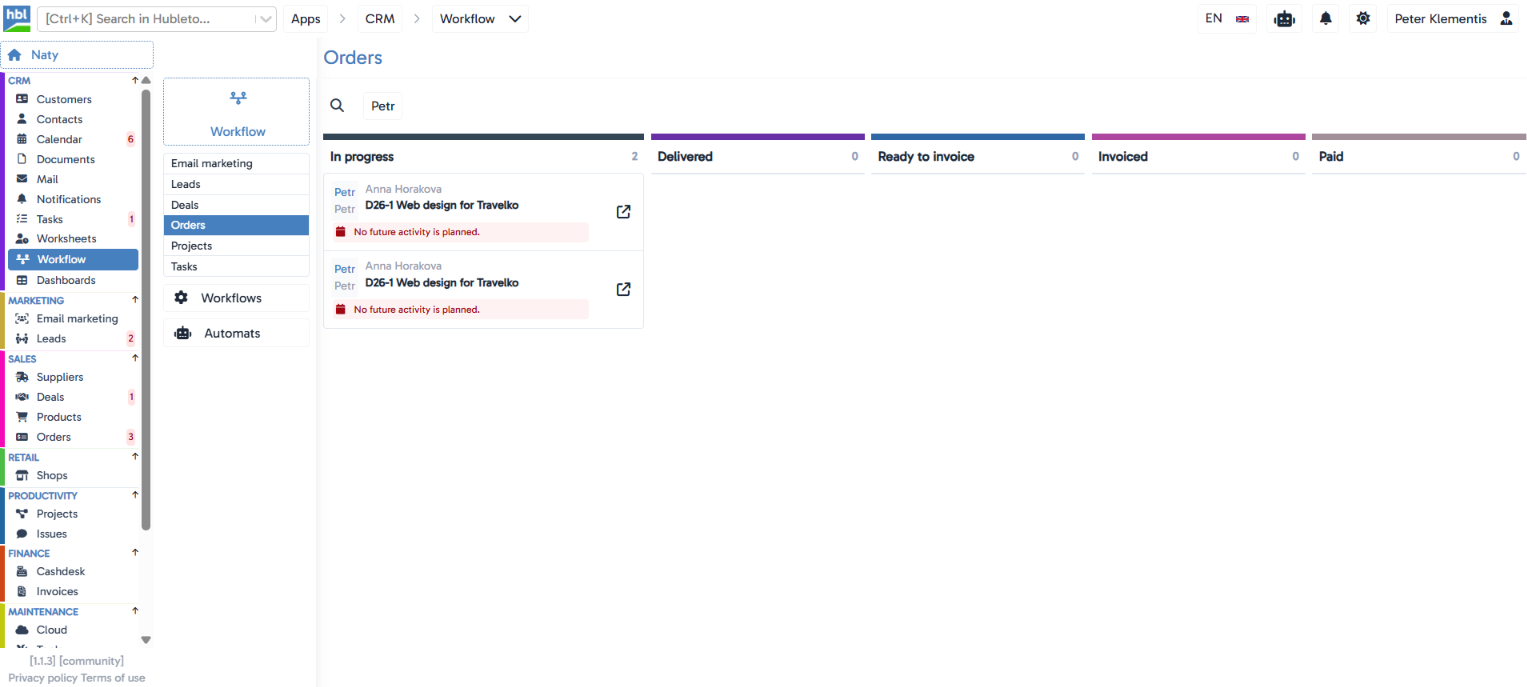
A kanban view showing the current status of records from the Email marketing, Leads, Deals, Orders, Projects, and Tasks apps, grouped by the stage they're currently in.
The situation you deal with every day
Checking what stage your leads, deals, orders, projects, or tasks are currently in usually means opening each app separately. Workflow shows the kanban board of all these apps in one place, so there's no need to switch between them to see the overall picture.
Key features
A separate board per app
Email marketing, Leads, Deals, Orders, Projects, and Tasks each have their own kanban board with stages specific to that app.
Record count per stage
each column header shows how many records are currently in that stage.
Contextual record cards
a card in the board shows assigned people (avatars), the linked person/company, and a link to open the full record.
Missing-activity alert
a card can show an alert that no future activity is planned for the record, or show the specific upcoming activity with its date.
Search directly in the board
a search field sits above each board.
Separate Workflows and Automats sections
the app also has separate Workflows and Automats menu items (their content hasn't been verified).
Hubleto vs. the competition
Most CRMs offer a kanban view within a single app (e.g. just for deals). Hubleto pulls boards from multiple apps (marketing, sales, delivery) into one place, so there's no need to switch between modules to see the overall picture of your work.
Who is it suitable for?
Teams that need a quick visual overview of what stage records are in across multiple apps (marketing, sales, delivery) without opening each app individually.