
Tasks - From "to do" to tested, deployed, and accepted.
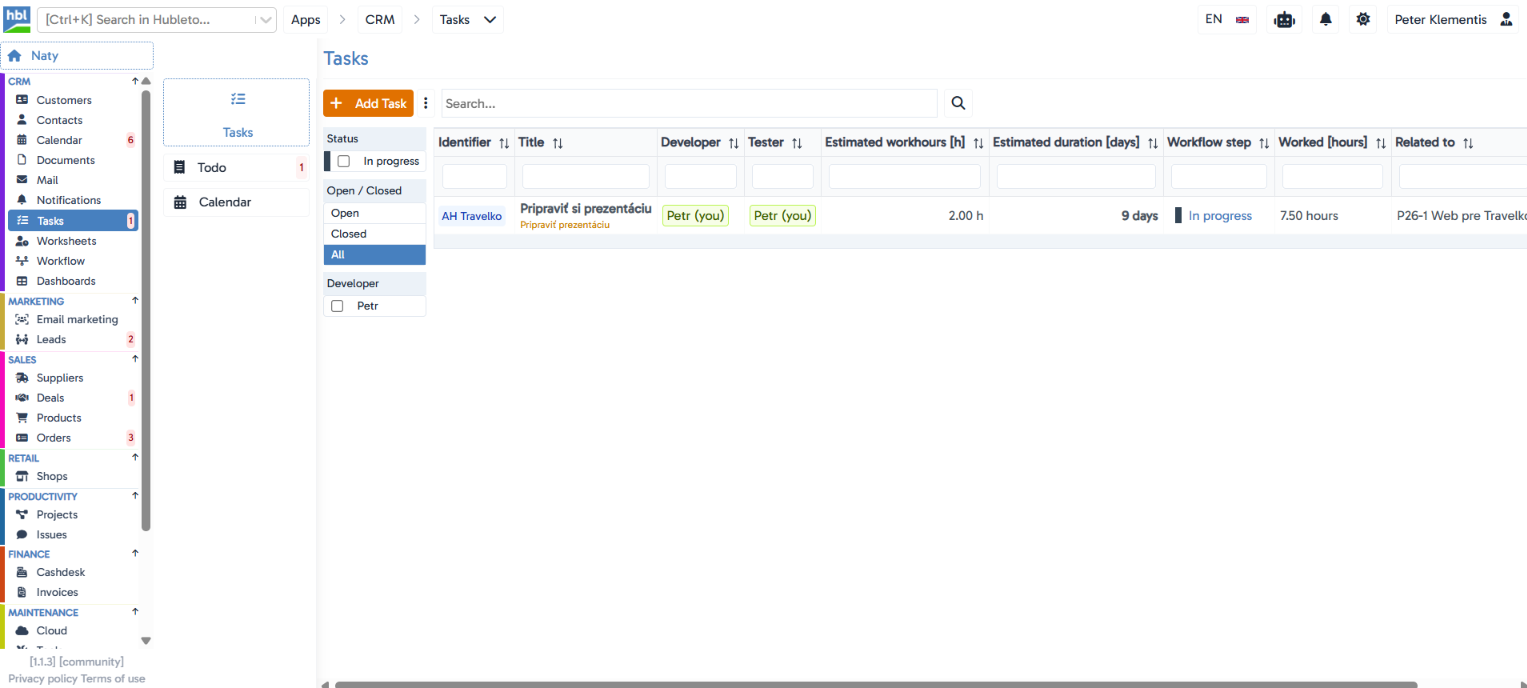
Every task has a separate Developer and Tester, its own workflow status (from "In progress" to "Deployed"), and stays linked directly to the deal or project it belongs to.
The situation you deal with every day
Tasks are usually managed in a separate tool that has no idea which project, deal, or customer they belong to, and testing gets tracked somewhere else entirely, like an email thread or one person's memory. Hubleto Tasks keep the assignment, development, and testing together in one place, linked directly to the deal or project they came from.
Key features
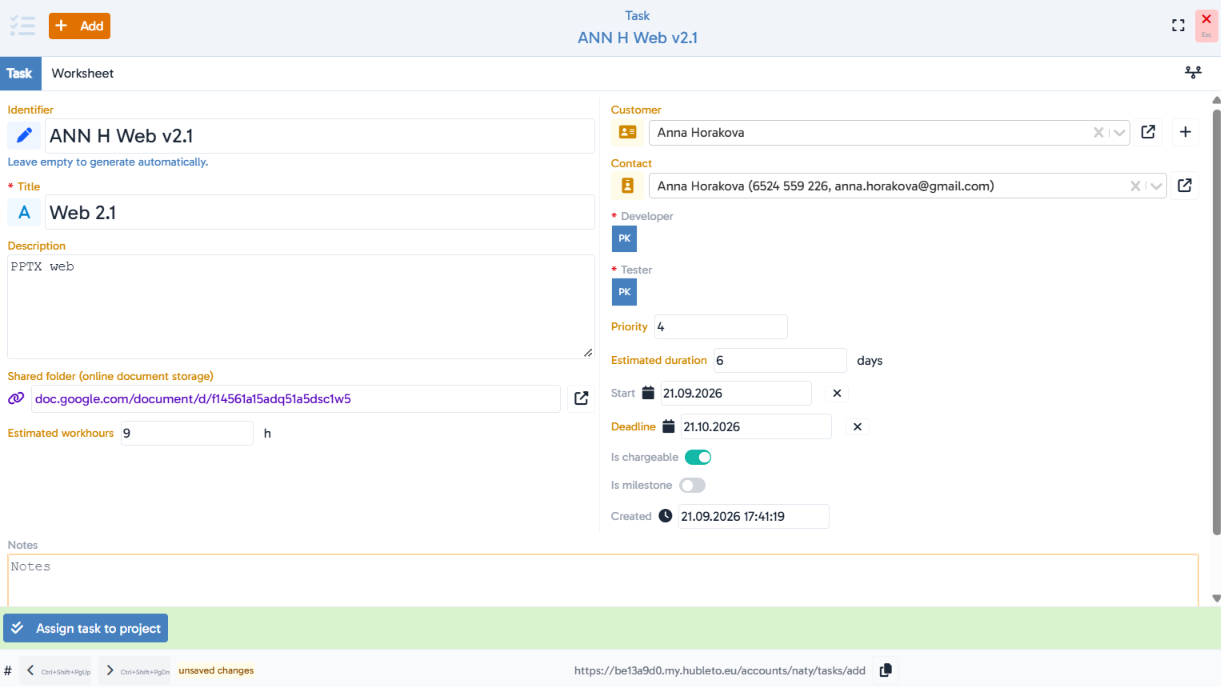
Separate Developer and Tester roles
every task has both assigned individually, so it's clear who's building it and who's testing it.
A real development workflow
a task moves through statuses like In progress, Ready to test, Tested working, Tested not working, Ready to deploy, Deployed, Accepted, and more, matching a real development process.
Directly linked to a deal or project
the list shows exactly which record a task belongs to (a specific deal or project), so tasks are never handled out of context.
A dedicated Worksheet tab
time logging is attached directly to the task, connected to the Worksheets app.
Estimate vs. actual, side by side
Estimated workhours and Estimated duration (in days) appear in the list next to the hours actually worked.
Chargeable task flag
an "Is chargeable" toggle separates tasks that should be billed to the client.
Tasks that can be milestones
an "Is milestone" toggle lets a task be marked as a key point in a project.
Shared document folder
a link to external storage right on the task.
Quick project assignment
an "Assign task to project" button right in the task form.
Filter by developer and status
a quick view of who's working on what and at which stage.
Hubleto vs. the competition
Standard to-do tools treat a task as a simple checklist item with no link to who tests it, which deal it belongs to, or how much time was actually spent on it. Hubleto gives a task a real development workflow with separate developer and tester roles, directly linked to its business context.
Who is it suitable for?
Software companies and teams that need to track tasks through a full development cycle (development → testing → deployment), linked to a specific project or deal.