
Documents - Versioning and an approval process, tied directly to the record they belong to.
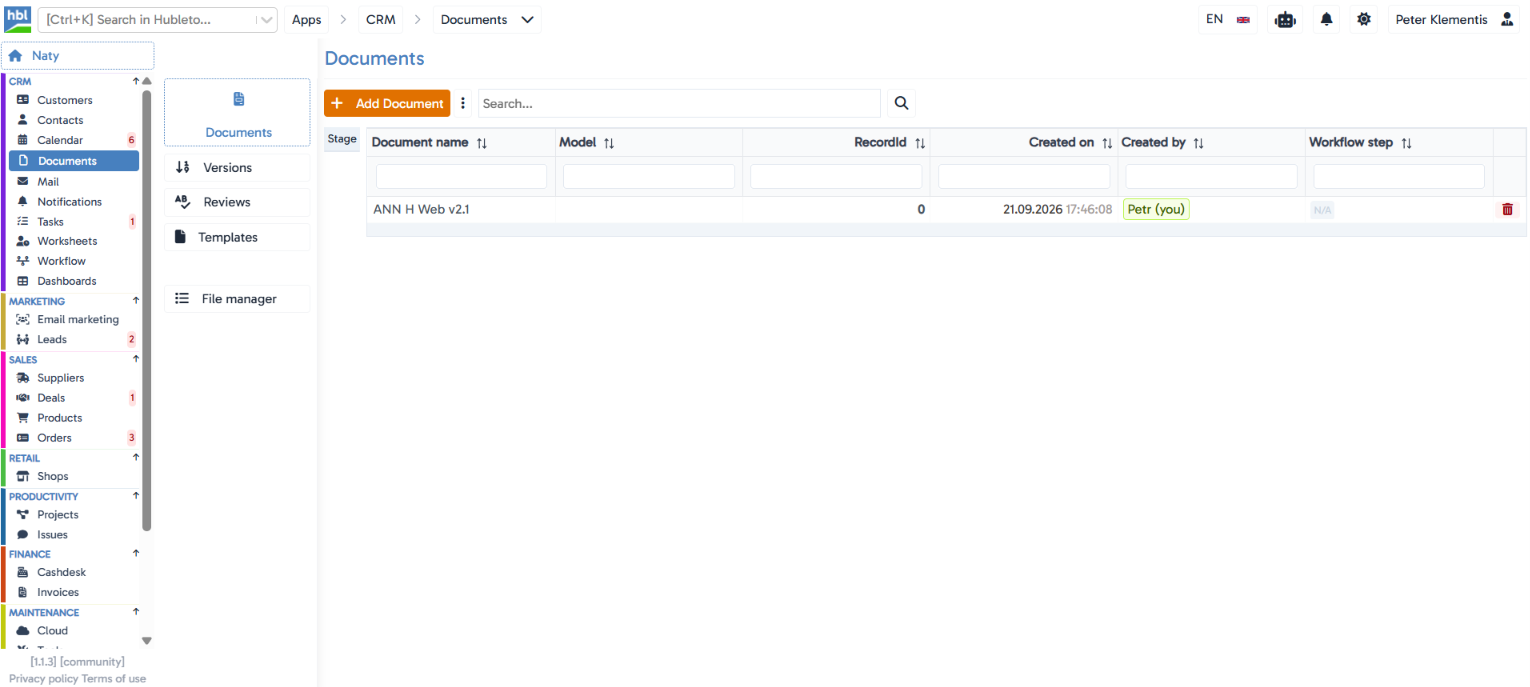
Every document can have multiple versions and a formal approval workflow, linked directly to a specific customer, deal, or project in Hubleto.
The situation you deal with every day
Important documents (contracts, offers, specifications) usually get sent back and forth by email through several rounds of edits, so it's unclear which version is final and who actually approved it. Hubleto Documents keep every version in one place, linked directly to the record they belong to, with a clear log of who requested approval and who granted it.
Key features
Linked to any record in the system
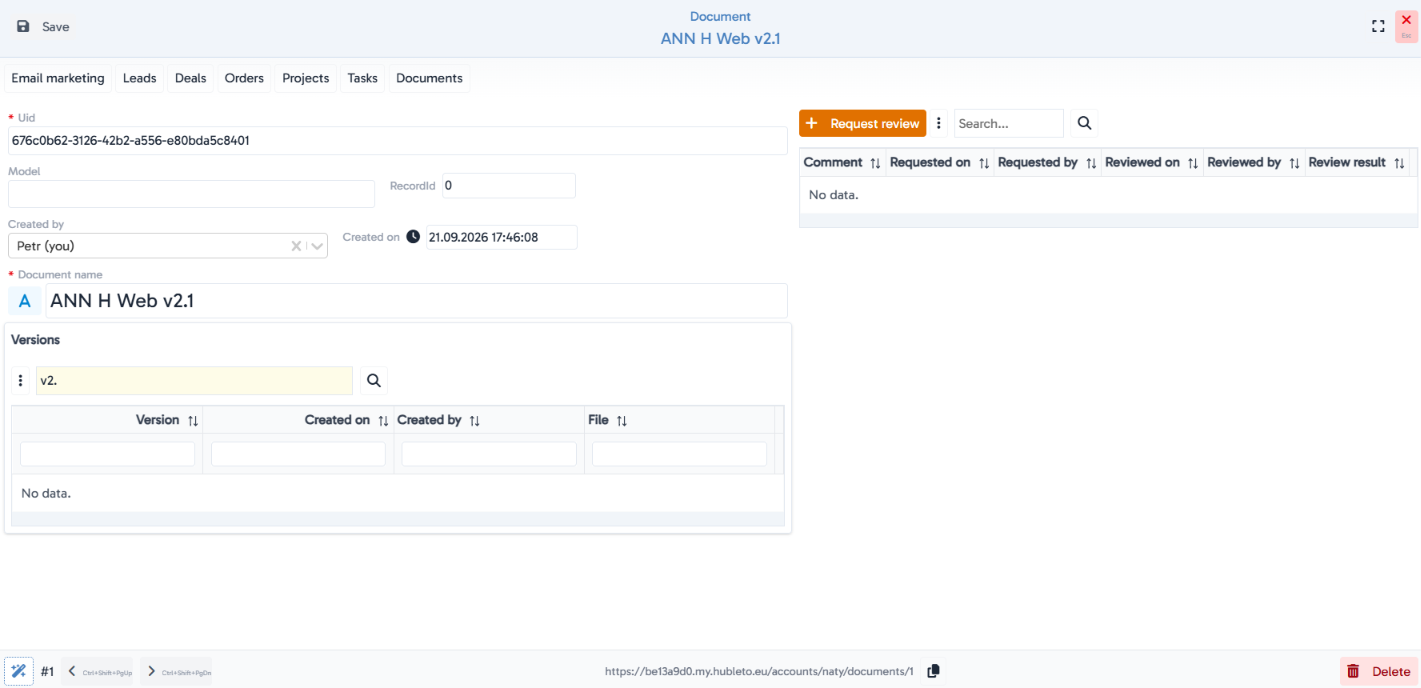
a document is tied to a specific model and record (e.g. a specific customer, deal, or project), so it's never isolated but always part of its context.
Document versioning
the Versions tab holds every previous version of the file, with the date and author of each one.
A formal approval process
the "Request review" button creates a request to approve a specific document version, with a full log of who requested it, when, who reviewed it, when, and with what result.
Document templates
the app has its own editor for building templates with a "Used For" field, so a team can create reusable document patterns.
File manager
a dedicated section for managing uploaded files.
Its own workflow step
documents have their own workflow status, visible right in the list.
Hubleto vs. the competition
Most CRMs treat documents as a simple attachment with no versioning or approval process. Hubleto gives documents full versioning and formal approval, linked directly to the record they belong to, so it's always clear which version is current and who approved it.
Who is it suitable for?
Companies that need a formal approval process for important documents (contracts, offers, specifications) and want every version tracked in one place, linked to a specific business record.